
What to Look For in a GEO Service Provider Before You Sign On
Reads
606
16 Jan. 2020 - Michael Simonetti, BSc BE MTE - Total Reads 4,680

Google shopping starts with creating a Google Merchant account and uploading a product feed into your Merchant account. Since it is super competitive, optimizing the shopping feed is the best way to achieve enthusiastic sales. Continuous optimizing and updating are the keys to feed enhancement to drive sales. This article will provide you the map of the details where you can get the most bangs for buck (or time).
Give the product title appropriate inclusion of brand name, product-specific information and search terms or attributes and category name for ads relevant to users. Adding the keywords of brand name attributes and category with the product name improves the visibility on Google Shopping platforms and Ads.
If you use plugins like Shopify for your website, all the parameters and attributes are fetched and synced directly in the Google Merchant center feed. Connect Google Merchant center account in Shopify under sales channels.

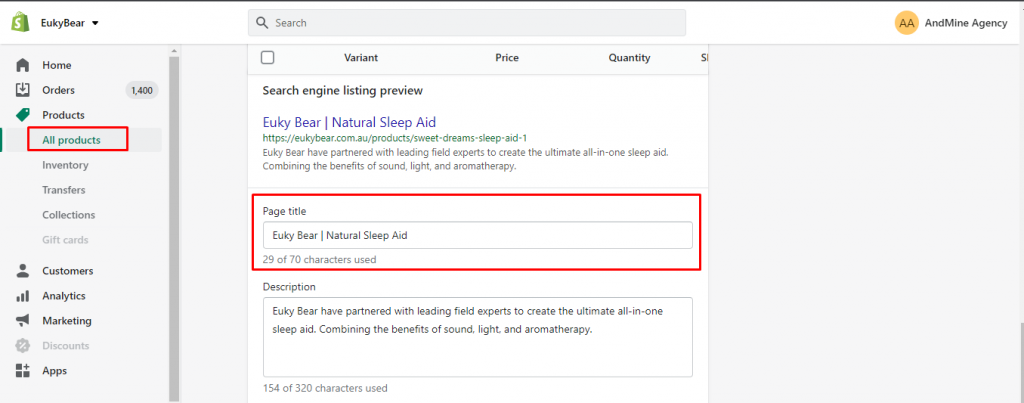
Here is an example of product optimization on Shopify.
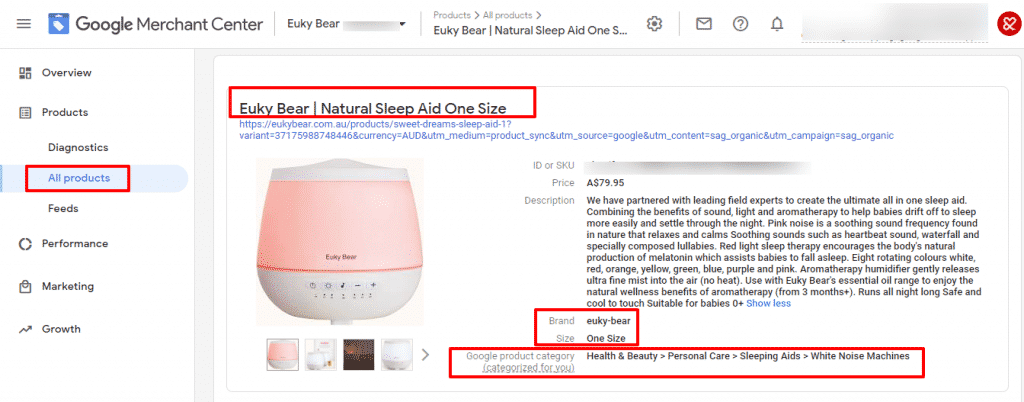
Here, the title is fetched from the page title of the webpage which can be edited on Shopify admin. Log in to your Shopify, go to all products and select the product you want to change the title of. Scroll down until you see the search engine listing preview. Change the page title with keywords and brand name.
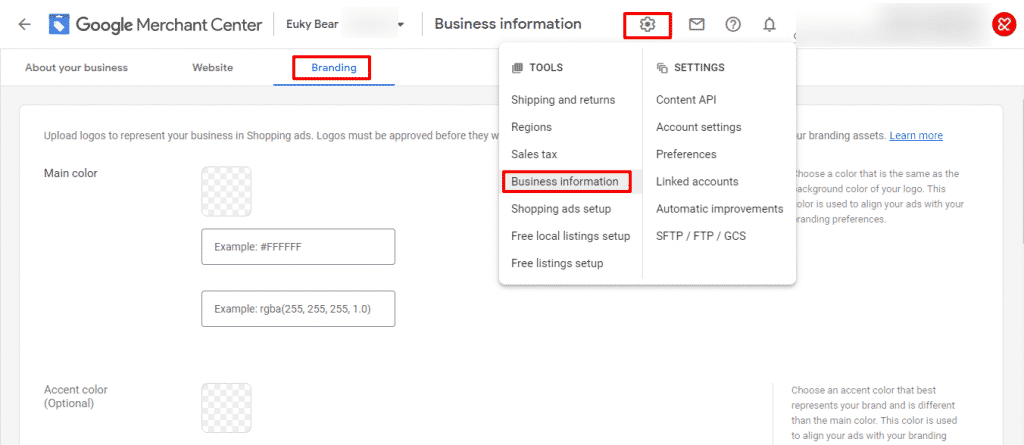
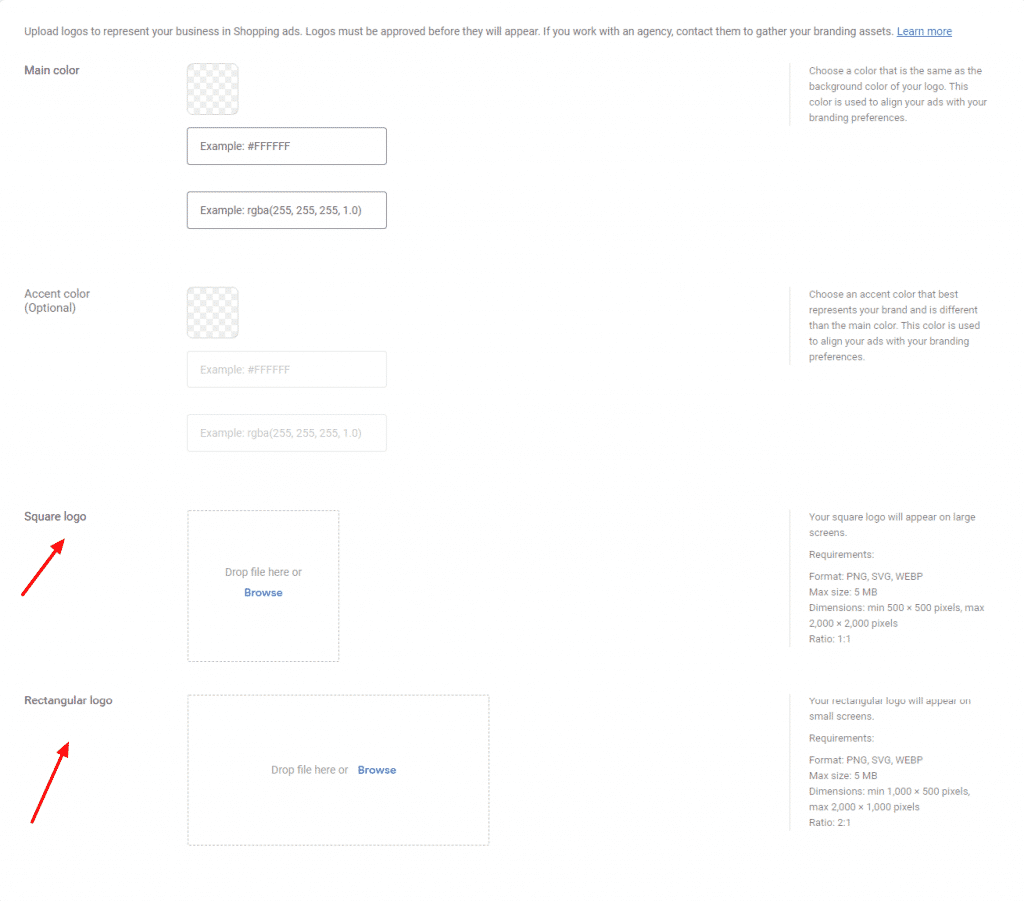
Brand logo and name represents your business. Upload brand logo in Google merchant center to appear on Shopping ads.
Log in to your Google Merchant center account. Click on settings and select Business information from the dropdown menu. You will see the page below. Go to branding and add your business main color, logo (square and rectangle).
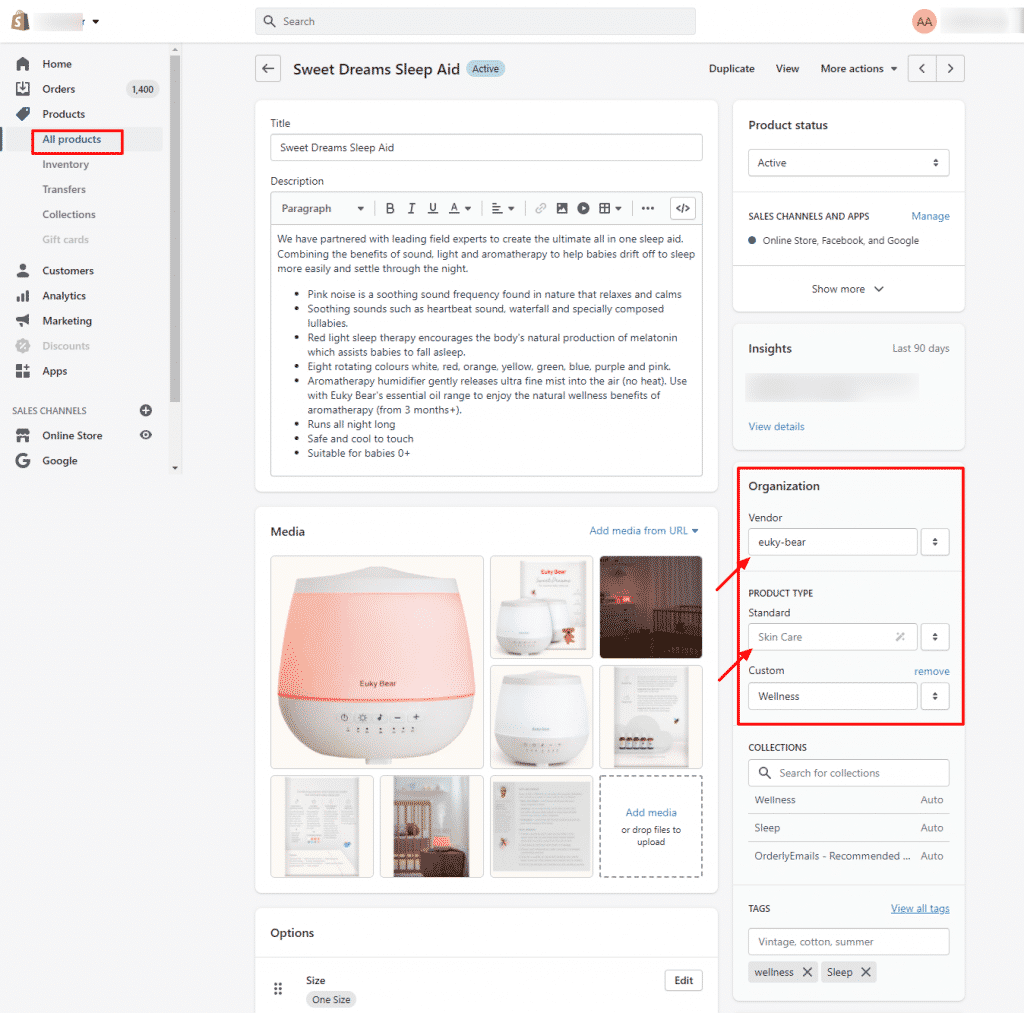
And on Shopify admin, go to vendor and add your brand name under Organization. Under the product type, select a specific and standard category for the product.
Google has product categorizing system according to the basic attributes like color, gender, size, material, age and more. Go through all the product feed manually and find out if there are any attributes missing. If the product description mentions color or size, then add the attributes of sizes and color.
Populate the fields that do not contain the data!!!
Log in to your Shopify admin. Go to the product for which variants need to be added. Scroll down until you see a section called Options. Click Add options to add size, color and other options as attributes to create variants for your product.
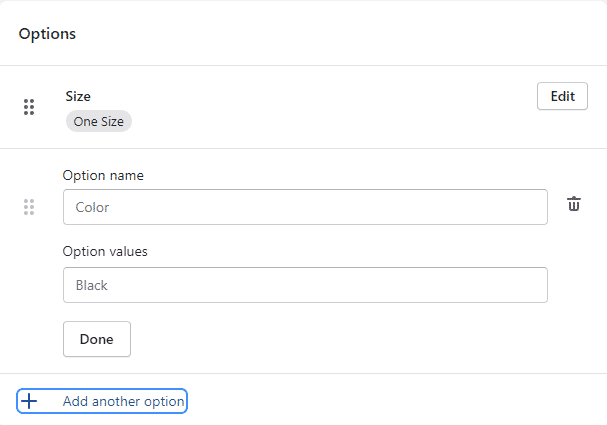
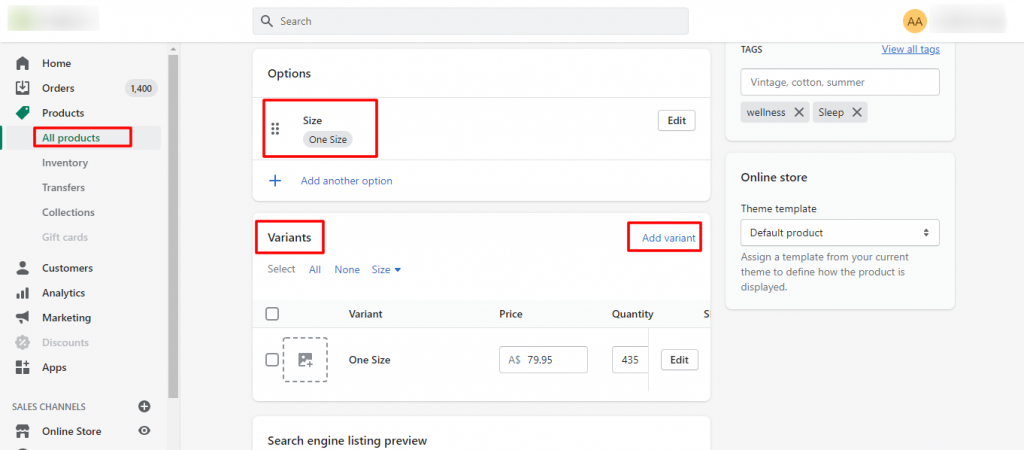
Add respective price, quantity, weight, SKU and GTIN numbers for each variants. The edited product attributes and descriptions will be synced with the Google Merchant center.
Avoid incorrect spelling and grammatical errors in the product feed. Check and go through the product data if there are any misspellings, wrong capitalisations or wrong language.
To meet the customer expectations, follow landing page requirements. Write the same product title and description that your landing page has. Use the product landing that shows the same product variant that you use in shopping ads. Use the same color names that are shown on the landing pages. In simple words, make sure the attributes and information are the same as in the landing pages to meet the customer expectation.
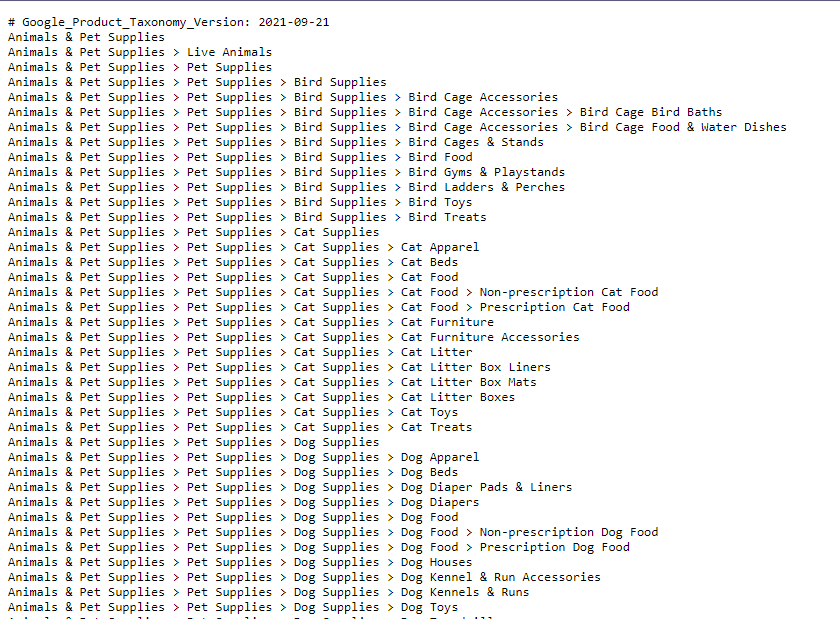
Google provides a list of different product categories known as Google’s Product Taxonomy. Select the most specific category for your products for better results. It tells Google which product ad should be shown according to the search query entered by the user. So using the correct product category is a mandatory.
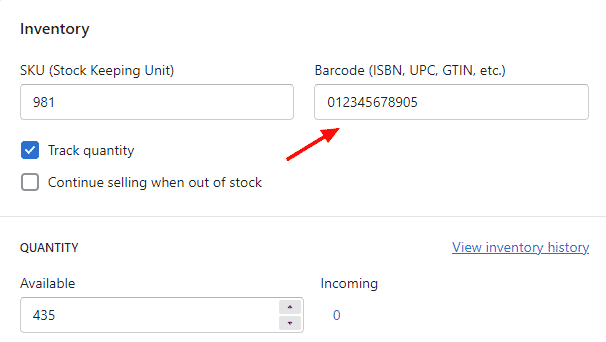
The Global Trade Item Number (GTIN) helps Google to understand what products you are showing that helps to boost performance by adding valuable details. With GTIN number Google can serve your shopping ads and free listings in more relevant platforms and partner sites. It also finds places within searches like Best and Top that references customer reviews to determine the position of your ad. So, provide value for the GTIN attributes whenever available.
To add GTIN number, Login to your Shopify account, Go to the All products tab and select a product you want to add GTIN number for. Scroll down until you see the variant section. Click on the Edit button of an existing variant.

And add your GTIN number under the Inventory section and save.
We will learn further about optimisation of the Google shopping feed in the next article which discusses on images, highlighting product details and keywords on Andmine.com.
Go on, see if you can challenge us on "How to Optimize your Google Shopping Feeds" - Part of our 184 services at AndMine. We are quick to respond but if you want to go direct, test us during office hours.
Add Your CommentWe decided to make the commitment and drop Traditional Marketing like Yellow pages and trial AndMine's Website Development, Design and Email Marketing Services. We never looked back and business is always booming. We certainly would not have been able to grow our business to where it is today without AndMine. Monika & Ellen, The Depskin Centre
More Testimonials